Image generation without a GPU: 12 seconds on the CPU
My GPU is busy running the language model, so I wanted image generation for Open WebUI that runs on the CPU alone. I tested five setups. The best one makes a 512×512 image in about 12 seconds on an i5-13600K, and it is SDXL-Turbo at 2 steps through FastSD CPU with OpenVINO.
How I tested
Every candidate ran in its own Docker container limited to 7 CPUs, half of the 14 physical cores, with no GPU passed in. Same seed, five prompts (portrait, landscape, a sign with text, a detailed scene, a simple object), three runs each, median time. I looked at every image and scored quality from 1 to 5 myself.
| Setup | Model | Steps | Warm time | Peak RAM | Quality |
|---|---|---|---|---|---|
| FastSD CPU, OpenVINO | SD-Turbo | 4 | 10.8 s | 8.0 GB | 3.5 |
| LocalAI, stablediffusion-ggml | SD-Turbo | 4 | 22.7 s | 7.7 GB | 3.5 |
| stable-diffusion.cpp | SD-Turbo q8_0 | 4 | 22.2 s | 6.1 GB | 3.5 |
| FastSD CPU, OpenVINO | SDXS-512 | 1 | 5.3 s | 5.5 GB | 2.5 |
| FastSD CPU, OpenVINO | SDXL-Turbo int8 | 2 | 11.8 s | 8.0 GB | 4.0 |
Same prompt, four setups
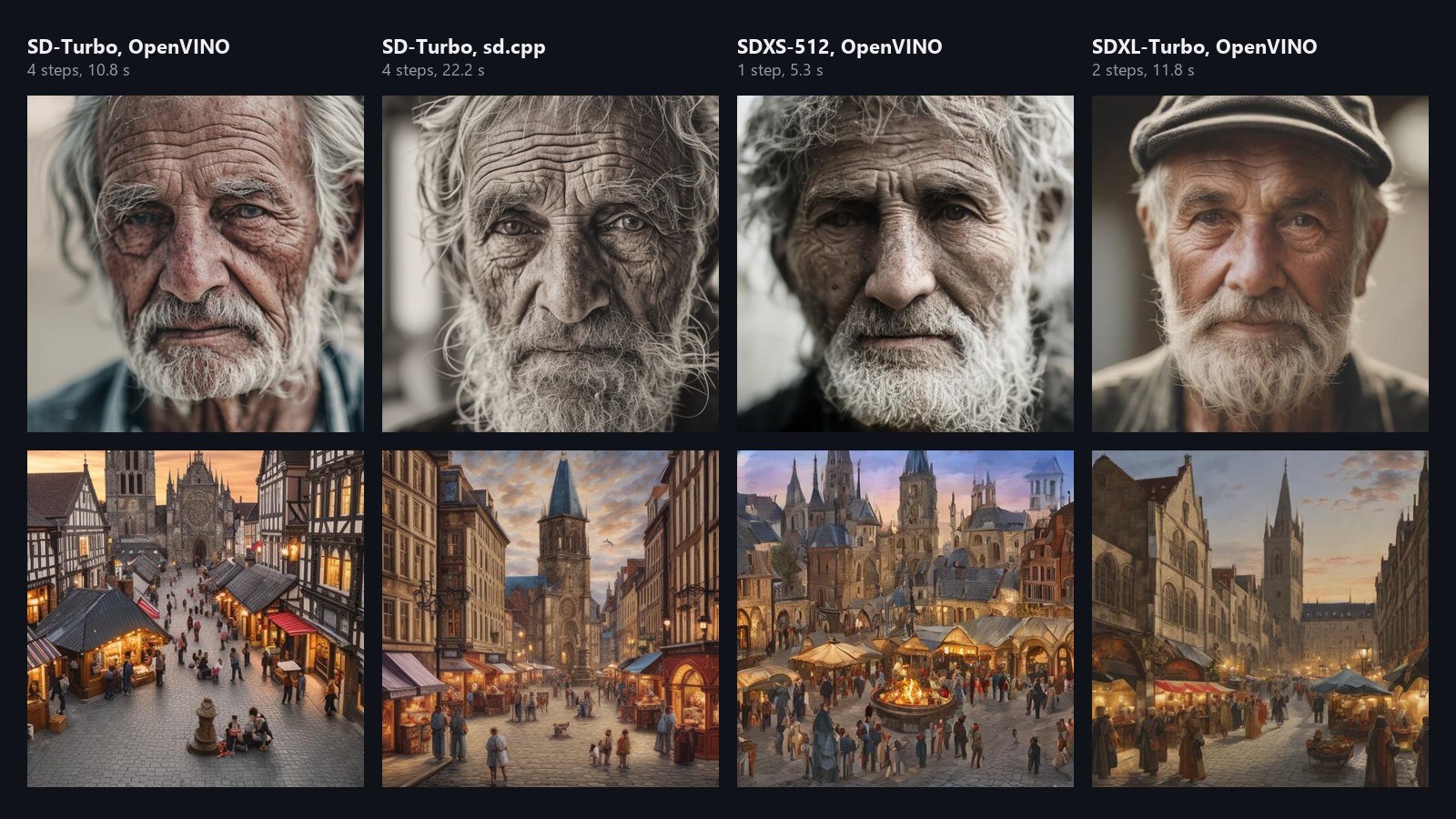
Same seed and prompt in every column. I left out the LocalAI run: it uses the same engine as stable-diffusion.cpp and produced nearly identical images.
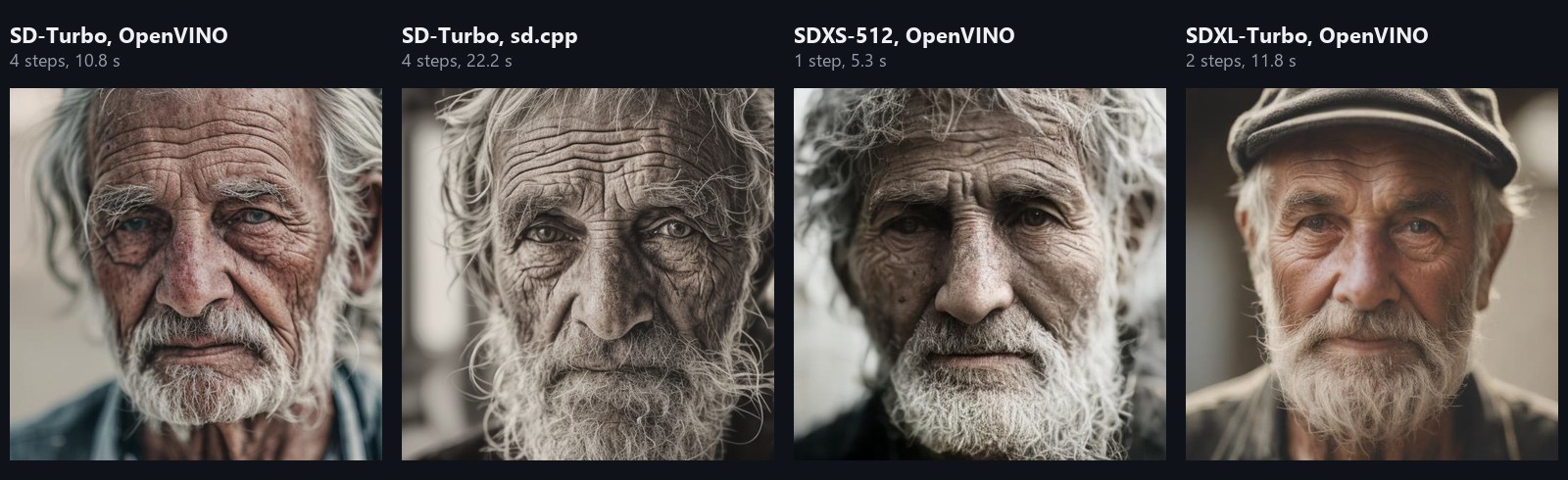
Portrait. All four are sharp, and the SD-Turbo faces are fine. SDXL-Turbo is the softer, more natural one, with warmer skin and a flat cap.
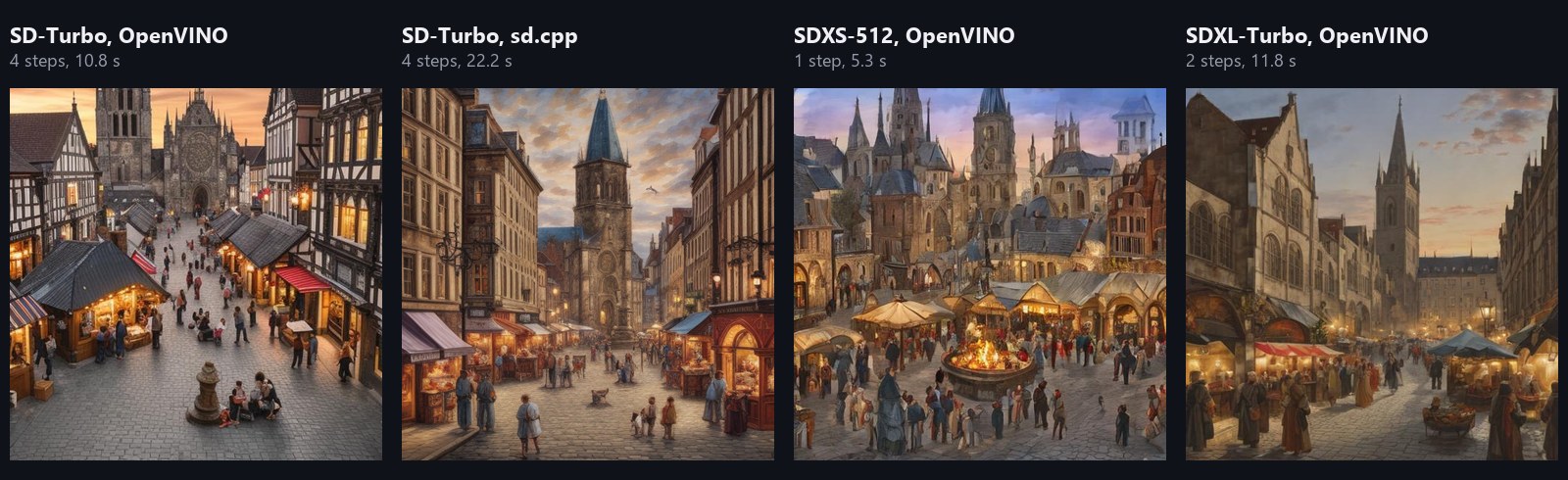
Busy scenes are where they differ. SDXS builds a crowded square, but the cathedral and houses melt into each other. SD-Turbo gives clean streets and the people are small blobs. SDXL-Turbo has the most coherent square, with people who still look like people.
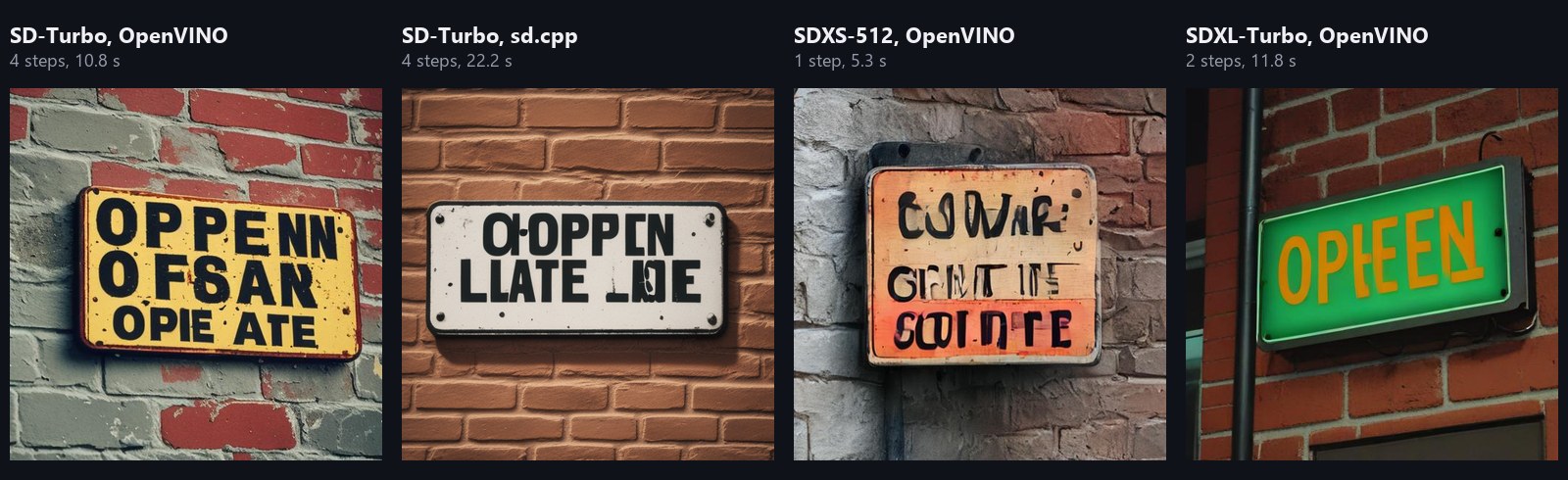
Text fails everywhere. The prompt asks for a sign that says “OPEN LATE”. None of them manages it. SDXL-Turbo comes closest, a green sign that almost reads “OPEN”.
What the numbers say
- OpenVINO is about twice as fast as the ggml engine. The two ggml setups (LocalAI and stable-diffusion.cpp) gave nearly the same images and speed, since they share an engine. Roughly half of the 22 seconds goes into decoding the image at the end.
- SDXL-Turbo costs almost nothing extra. It takes 11.8 seconds against 10.8 for SD-Turbo, and the images are clearly better: a natural portrait, a clean landscape, a market scene where the people are still people.
- The fastest one is not usable. SDXS needs 5 seconds but the pictures come out oversaturated, with melted buildings.
- Text is still broken. Every model garbles the sign. The best one almost writes “OPEN”, as the last comparison shows. Do not expect readable text from this model class.
What it costs the language model
The image generator uses about 6.4 of its 7 cores. While it works, the LLM drops from about 82 to 45-50 tokens per second, around 40% slower, and the same for every candidate. Requests still answer in under 2 seconds. Since an image takes about 12 seconds, that is a short window.
How it runs now
FastSD CPU has no OpenAI-style images API, so a small adapter in front of it speaks that API and Open WebUI talks to the adapter. Some limits I measured:
- One image at a time. A second request waits, about 12 seconds per image in the queue.
- Other sizes cost more: 768×512 takes about 17 seconds and 768×768 about 25. Anything larger is shrunk to a fixed pixel budget, because bigger sizes ran out of memory.
- After 15 idle minutes the container stops and frees its memory (down to about 120 MB). The next image then takes 30-35 seconds.
Caveats
The quality score is my own judgement on five prompts, not a standard metric. Timings are medians of three runs on one machine, and the 768×768 numbers are a single run each. Only the first three setups were tried at that size.